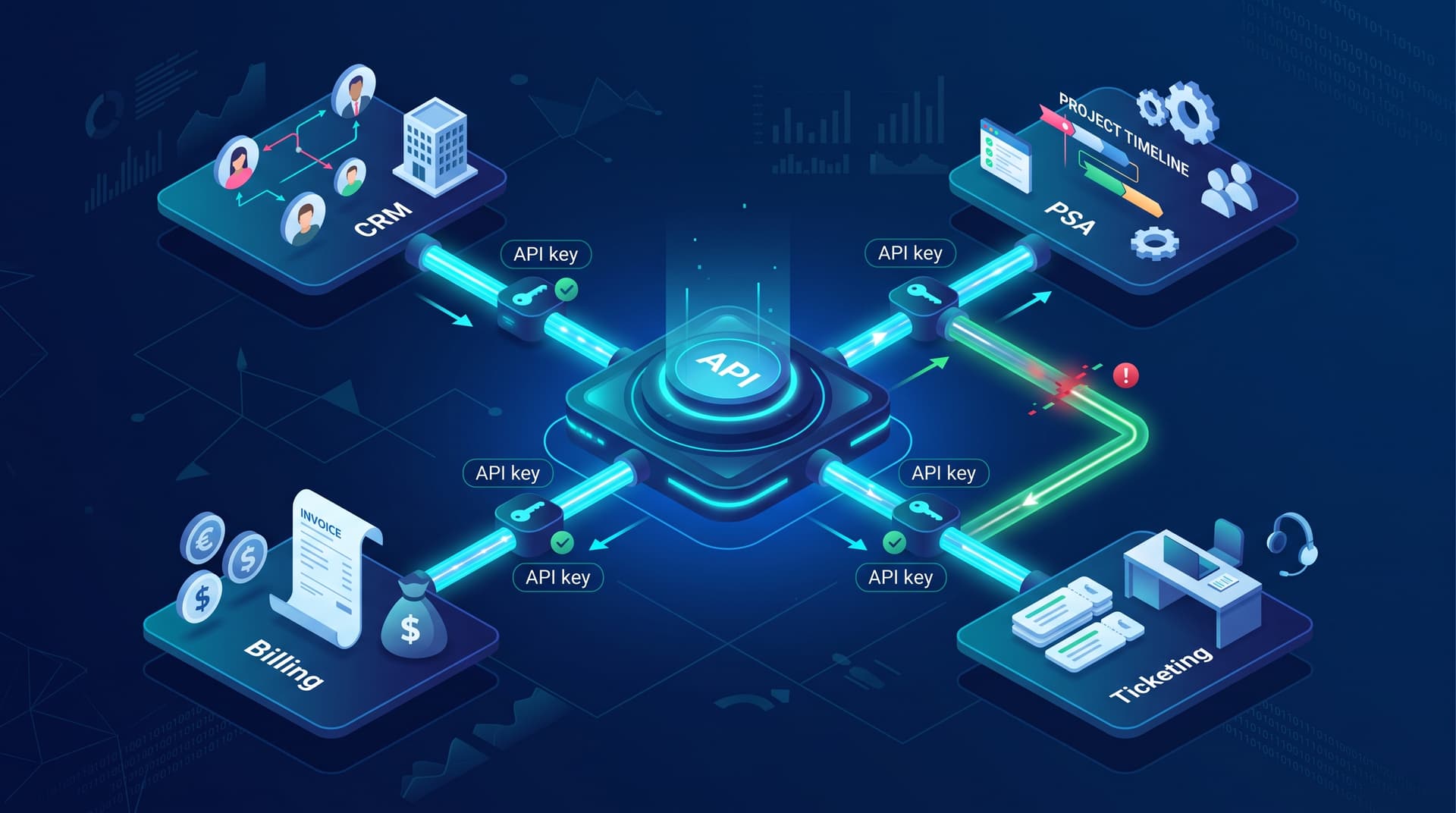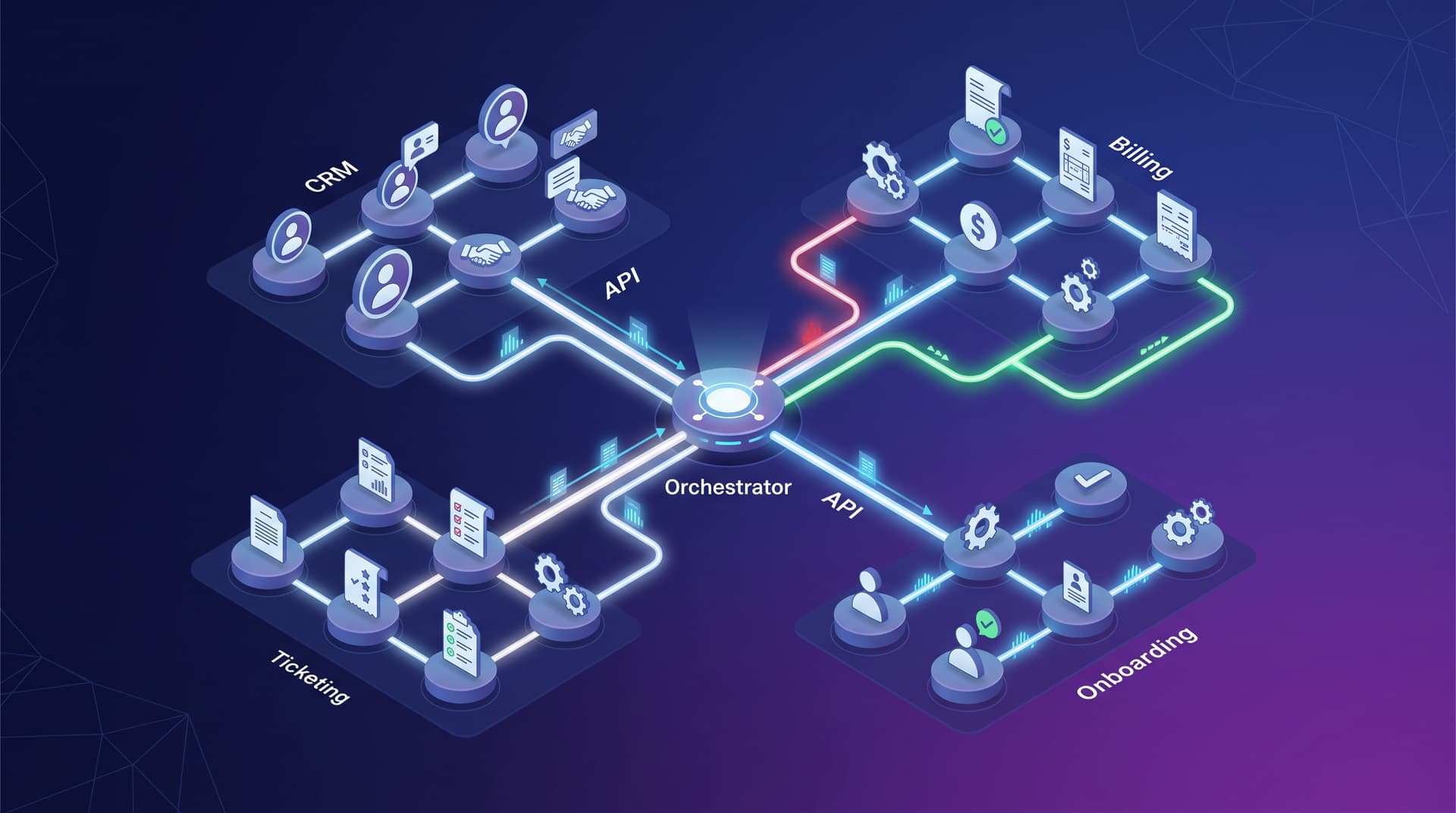
Modern IT environments rely on a complex web of specialized tools, from PSA and CRM platforms to finance and line-of-business applications. When these systems are siloed, teams are forced to rely on manual data entry and disjointed processes. Workflow automation solves this friction through cross-system orchestration, transforming isolated tools into a unified, highly efficient engine.
API-Based Automation vs. UI Bots
When designing automated workflows, architects typically choose between two primary approaches: API-based automation and UI bots (often referred to as Robotic Process Automation or RPA).
While UI bots mimic human interactions by clicking buttons and scraping screens, they are inherently fragile. A simple interface update or a change in screen resolution can break a UI bot's workflow. UI bots are best reserved for legacy systems that lack modern connectivity.
API-based automation, on the other hand, communicates directly with the software's backend endpoints. This method provides faster, highly secure, and deeply reliable data exchange. By leveraging webhooks and REST/GraphQL APIs, systems-thinking teams can build robust integrations that process data instantaneously without relying on user interface elements.
Designing for Resilience: Idempotency and Failure Notifications
In cross-system orchestration, data integrity is paramount. Two critical concepts ensure this reliability:
1. Idempotency: An idempotent operation can be executed multiple times without changing the result beyond the initial application. In workflow automation, building idempotent API calls ensures that if a network timeout causes a script to retry, you do not end up with duplicate support tickets, double-billed invoices, or redundant user accounts.
2. Failure Notifications: Even the most sophisticated APIs experience downtime. A resilient workflow does not just fail silently; it triggers immediate, context-rich failure notifications. Orchestration layers should be configured to detect API timeouts or authentication errors and automatically alert the appropriate engineering or IT support channels with payload details, enabling rapid remediation.
Orchestration Examples: Ticketing, Billing, and Onboarding
Connecting specialized tools allows teams to remove friction from their most critical business processes:
- Ticketing: Integrate monitoring and endpoint management tools directly with your PSA. When a server threshold is breached, the workflow automatically generates, categorizes, and assigns a ticket to the correct queue, complete with diagnostic telemetry.
- Billing: Connect your CRM and finance software. When a project phase is marked as completed in the CRM, an API call instantly calculates the prorated usage and triggers invoice generation in the billing system, eliminating revenue leakage.
- Onboarding: Streamline new hire provisioning by linking HR platforms to IT identity and access management. Once a new employee is registered, the workflow automatically provisions Microsoft 365 licenses, sets up CRM access, and dispatches an automated welcome email with login credentials.
Conclusion
True workflow automation goes beyond simple task execution; it requires a deep understanding of systems architecture, resilient API design, and cross-system data flow. By engineering automated processes with idempotency and robust error handling, teams can connect their operational tools securely and efficiently.
Ready to eliminate manual bottlenecks across your tech stack? Map your highest-friction workflows with Bitscaled automation architects at /services/automation?focus=workflow-automation.