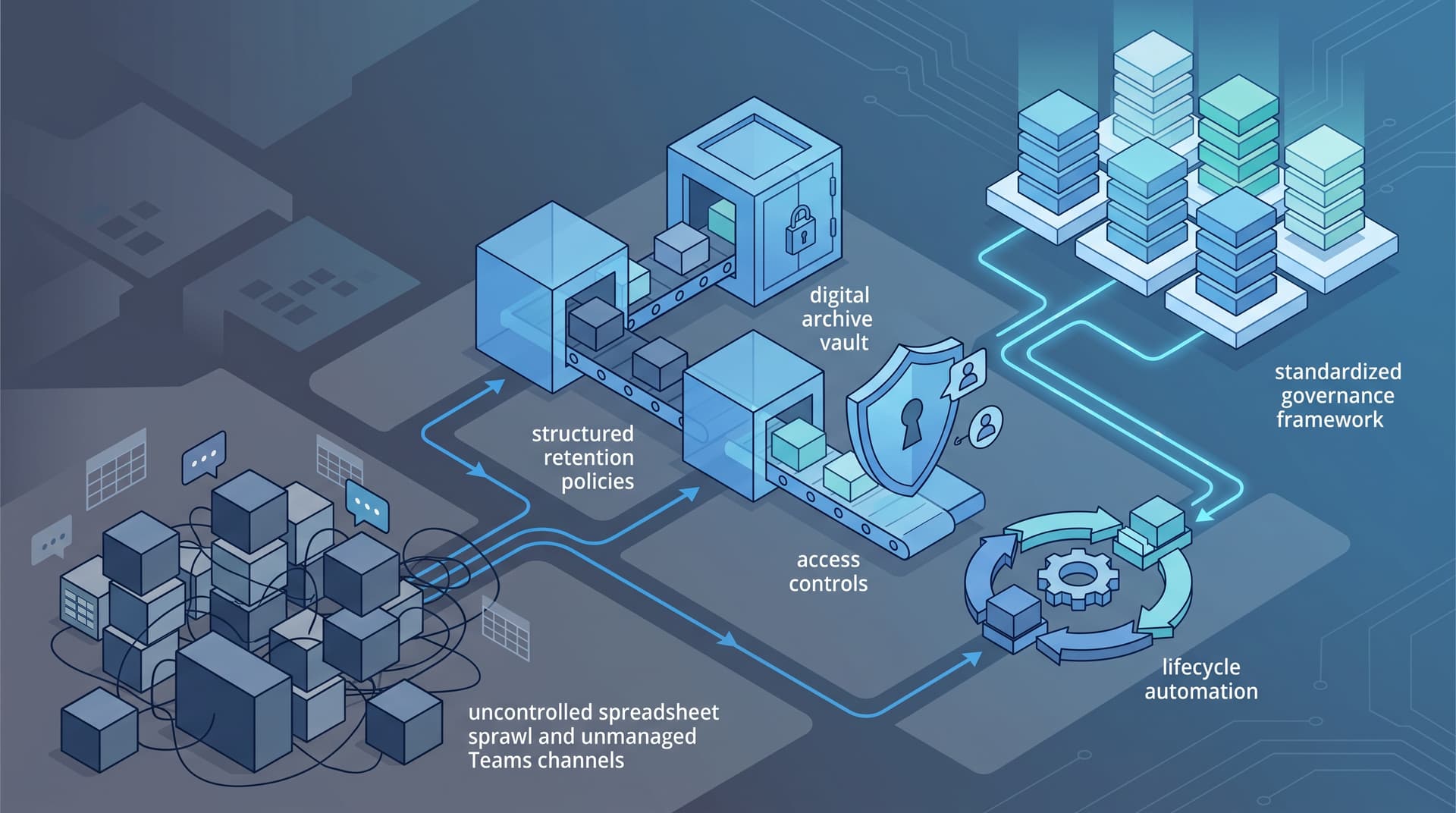
Eliminating Unstructured Risk: Operational Data Hygiene for Finance and Operations
Finance and operations departments are the heartbeat of any enterprise. Day in and day out, teams handle financial reconciliations, vendor ledger updates, supply chain forecasts, payroll adjustments, and month-end close schedules. In fast-moving operational environments, the immediate goal is execution—getting the forecast completed, getting the invoice processed, or finalizing the quarterly budget. To achieve this speed, personnel frequently rely on local desktop folders, ad-hoc Microsoft Teams channels, duplicated Excel workbooks, and custom SharePoint document libraries.
While this agility enables quick decision-making in the short term, it creates severe long-term friction. Over months and years, unstructured files accumulate across disconnected cloud and local repositories. This accumulation is known as operational data sprawl. What begins as a convenient temporary working folder evolves into an unmanaged archive containing highly sensitive customer details, financial statements, trade secrets, and employee records.
Unmanaged data creates three immediate operational penalties:
- Version Confusion & Decision Risk: Teams make critical financial decisions based on outdated spreadsheet iterations stored in personal OneDrive accounts or forgotten Teams chats.
- Expanded Attack Surface: Storing sensitive data across hundreds of unmonitored locations drastically increases the risk footprint during security incidents or unauthorized internal access.
- Bloated Infrastructure & Backup Overhead: Retaining redundant, obsolete, and trivial (ROT) data drives up cloud storage expenses and slows down disaster recovery operations.
Achieving operational excellence requires transitioning from chaotic, informal file sharing to systematic data management, robust data governance, and automated records retention policies.
1. Establishing Data Access Classification and Retention Schedules
The foundation of operational data hygiene is knowing what data exists, who can access it, and how long it should live. Without explicit classification and lifecycle policies, organizations default to keeping everything forever. Perpetual retention is not a safety strategy; it is a liability multiplier.
Practical Data Sensitivity Classification
Organizations should establish a concise, four-tier classification framework that operational teams can easily understand and apply:
- Public: Marketing materials, general announcements, and public documentation.
- Internal: Standard operating procedures, non-sensitive operational schedules, and internal templates accessible to all active employees.
- Confidential: Financial reports, active vendor contracts, customer agreements, and operational metrics restricted to specific business units.
- Restricted: Personally Identifiable Information (PII), payroll registers, banking details, acquisition documents, and regulatory filings accessible only to explicit, named roles.
Defining Actionable Records Retention Policies
A records retention policy defines the exact lifecycle of operational records from creation to disposition. Effective retention schedules connect business utility, regulatory obligations, and automated expiration triggers:
| Data Type | Target Retention Period | Lifecycle Trigger | Disposition Action |
|---|---|---|---|
| Working Financial Spreadsheets | 90 days after close | Period close completion | Auto-archive to restricted cold storage |
| Audited Financial Statements | 7 years | Fiscal year end | Permanent archive / Read-only retention |
| Vendor Invoices & Purchase Orders | 7 years | Payment completion | Automated retention lock |
| Transient Operational Chats & Notes | 30 to 90 days | Last message timestamp | Automatic purge |
| Offboarded Employee Documents | Defined by HR policy | Employee termination date | Scheduled deletion after legal window |
Enforcing these rules manually is virtually impossible at scale. Modern environment management requires automated retention labels within platforms like Microsoft 365, ensuring files are tagged, protected, and purged according to defined schedule triggers without requiring constant user intervention.
2. Reclaiming Control Over SharePoint and Teams Sprawl
Microsoft Teams and SharePoint have become the primary collaboration fabric for operations and finance teams. However, without strict administrative governance, these platforms quickly become unmanageable digital landfills.
Every time a project begins or a new working group is formed, users often create dedicated Teams channels or SharePoint sites. When the project finishes, the channel remains online, complete with guest permissions, sensitive attachments, and shared links that linger indefinitely.
Strategic Sprawl Control Mechanisms
To restore control over workspace ecosystems, operations leaders should implement four key governance guardrails:
- Controlled Provisioning Workflows: Replace unrestricted team and site creation with governed request workflows. Standardized templates ensure proper naming conventions, default security labels, and pre-configured access structures.
- Automated Lifecycle Expiration: Configure group expiration policies that prompt team owners to renew active sites every 180 or 365 days. If a site is abandoned or unrenewed, it is automatically archived or soft-deleted following administrative notice.
- Regular Access and Permission Reviews: Conduct periodic access certification campaigns. Department leaders must audit external guest access, active sharing links, and permission inheritance breaks across sensitive document libraries.
- Channel and File Consolidation: Standardize folder hierarchies for recurring processes like monthly financial closes. Instead of creating new Teams channels each month, establish structured, persistent libraries with strict folder-level retention settings.
3. Aligning Backup Scope with Data Lifecycle Realities
A common misconception among business leaders is that standard cloud backups protect against data sprawl risks. In reality, traditional backup mechanisms reproduce unstructured chaos into secondary storage environments.
If an organization backs up unmanaged file shares containing duplicated spreadsheets, obsolete customer lists, and expired temporary files, it pays twice: once for active storage and once for backup storage. Furthermore, during a ransomware event or cloud restoration scenario, recovering an unorganized 50-terabyte environment takes exponentially longer than restoring a streamlined, 10-terabyte curated repository.
Defining Immutable Scope and Recovery Priorities
To maximize resiliency and manage costs, data management strategies must separate disaster recovery backups from long-term compliance archives:
- Operational Backups: Target live, operational data repositories (ERP databases, structured document management systems, active financial models) with frequent immutable snapshots and rapid restore SLAs.
- Compliance Archiving: Move finalized historical records out of high-cost operational storage into immutable, long-term archive tiers governed by automated retention locks.
- Exclusion Profiles: Exclude temporary working directories, local cache folders, and redundant scratch files from backup jobs to optimize bandwidth and recovery times.
Takeaway: Backup systems are designed for rapid operational recovery, not perpetual storage of unmanaged files. Aligning backup scope with clear data lifecycle rules minimizes recovery time objectives and controls cloud infrastructure expenses.
4. Connecting Data Hygiene to Compliance and Cyber Insurance
Beyond day-to-day operational efficiency, structured data governance plays a pivotal role in enterprise risk management, compliance audits, and cyber insurance qualification.
Note: The following guidance provides operational strategy insights and should not be construed as legal advice or formal regulatory counsel.
Insurance Underwriting Scrutiny
Cyber insurance underwriters have shifted from basic questionnaire assessments to deep technical evaluations of an organization's security posture and data management controls. Key evaluation criteria now include:
- Blast Radius Reduction: Underwriters analyze how far an attacker could move if an endpoint or account is compromised. Unmanaged network shares with open permissions represent an unacceptable blast radius.
- Data Minimization Practices: Retaining financial records, PII, or internal credentials beyond required retention schedules increases potential breach claims and settlement exposures.
- Enforceable Off-boarding and Scoping: Proof that access permissions are automatically revoked and sensitive files are restricted prevents lateral movement during account takeovers.
Regulatory Alignment Across Workflows
Whether complying with industry frameworks or regulatory standards (such as SOC 2, HIPAA, or ISO 27001), auditors consistently evaluate data handling procedures. Demonstrating that financial spreadsheets, operational logs, and customer records follow clear lifecycle, encryption, and disposition schedules validates the integrity of internal controls.
Strategic Checklist for Operational Data Hygiene
To systematically eliminate data sprawl and enforce governance across finance and operations workflows, implement the following operational checklist:
- Audit Unstructured Repositories: Identify all active and legacy file storage locations, including local sync folders, personal OneDrive accounts, and unmonitored SharePoint libraries.
- Standardize Access Permissions: Enforce least-privilege access models, disable unauthenticated external sharing links, and clean up orphaned guest accounts.
- Deploy Sensitivity Labels: Apply automated classification tags to financial reports, executive communications, and operational databases.
- Implement Automated Retention Rules: Configure policies to archive or delete working drafts, transient communication logs, and obsolete operational data automatically.
- Optimize Backup Scope: Align enterprise backup routines with prioritized critical workloads while archiving immutable historical records to secondary storage tiers.
- Schedule Continuous Governance Reviews: Establish quarterly access audits and annual policy reviews with operational department heads.
Streamline Your Data Management Strategy
Unmanaged data sprawl compromises efficiency, bloats cloud costs, and expands enterprise risk. By establishing disciplined access classification, automated retention schedules, and governed workspace templates, finance and operations leaders can transform chaotic file repositories into secure, resilient digital assets.
Bitscaled helps organizations standardize data lifecycle rules, eliminate sprawl across Microsoft 365 and cloud environments, and fortify operational security posture.
Assess your data lifecycle and retention posture with Bitscaled by visiting our Data Management Services or contacting our team today.