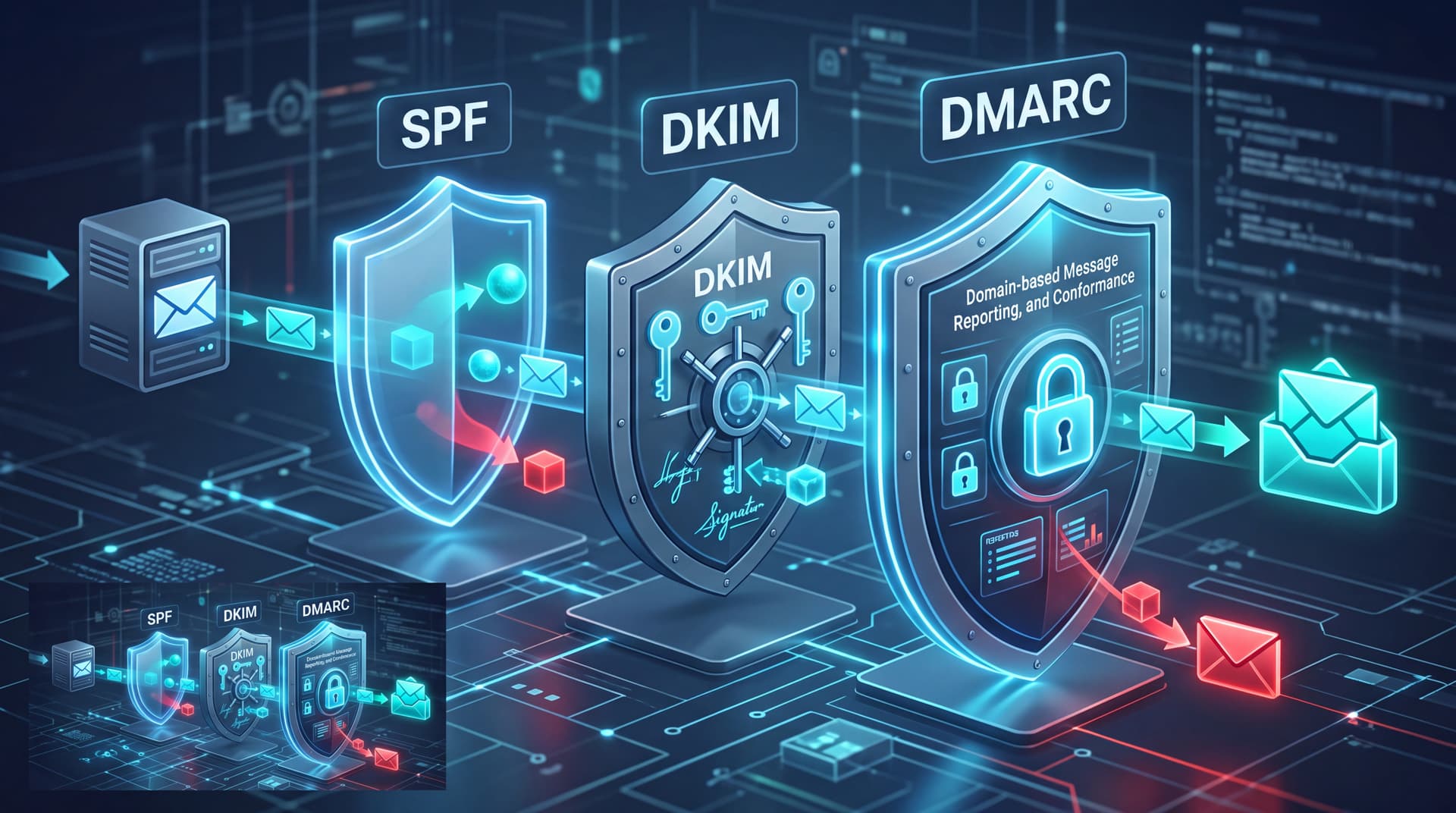
The Wire Fraud Pipeline: How Impersonation Happens
Business Email Compromise (BEC) remains one of the most financially damaging attack vectors facing modern organizations. Cybercriminals do not always need sophisticated zero-day exploits to steal funds; often, they simply forge your company's domain name in an email header. When an attacker sends an email claiming to be your CEO or CFO requesting an urgent wire transfer, recipient email servers look to public DNS records to verify if the sender is legitimate. If your email authentication protocols are misconfigured or absent, that fraudulent email lands directly in the inbox of an employee, vendor, or customer.
Preventing domain impersonation requires understanding three core standards: SPF, DKIM, and DMARC.
Understanding the Core Email Authentication Trinity
To protect your brand reputation and prevent financial fraud, your domain must implement three interlocking standards:
1. Sender Policy Framework (SPF)
Think of SPF as an approved sender list. It is a DNS TXT record that specifies which IP addresses and mail servers are authorized to send email on behalf of your domain. If an email originates from an IP address not listed in your SPF record, the receiving server flags it as suspicious.
2. DomainKeys Identified Mail (DKIM)
While SPF verifies sender IP addresses, DKIM adds a cryptographic signature to outgoing messages. The receiving mail server uses your public key (published in your DNS) to verify that the email was indeed sent by your domain and was not altered in transit.
3. Domain-based Message Authentication, Reporting, and Conformance (DMARC)
DMARC builds upon SPF and DKIM. It gives domain owners the power to specify how receiving mail servers should handle messages that fail SPF or DKIM checks. DMARC policies range from p=none (monitoring only) to p=quarantine (send to spam) and p=reject (block the email entirely).
Interpreting Your Email Spoof Test Results
Using Bitscaled's free Email Spoof Test, IT leaders and executives can instantly audit their domain's public authentication records. Here is how to evaluate your output:
- Missing or Broad SPF Records: An SPF record containing
+allor including outdated third-party services allows attackers to send mail from unauthorized servers. - Unsigned DKIM Headers: Lacking DKIM signatures means receiving servers cannot guarantee message integrity, making spoofing vastly easier.
p=noneDMARC Policy: While ap=nonepolicy helps collect diagnostic reports, it offers zero protection against domain spoofing. Mail servers will still deliver failing emails to recipient inboxes.- Alignment Failures: If your SPF or DKIM domains do not strictly match the domain in the "From" header, DMARC validation will fail.
Prioritizing Fixes and Moving to Full Enforcement
Securing your email perimeter requires a phased remediation approach:
- Audit All Sending Sources: Identify every legitimate service sending mail on your behalf (e.g., Microsoft 365, Salesforce, marketing software, payroll platforms).
- Clean Up SPF & DKIM: Consolidate your SPF record to stay under the 10-DNS-lookup limit and enable DKIM signing across all active outbound providers.
- Publish a DMARC Record with Reporting: Start with
p=noneand configure aggregate (rua) reporting to monitor delivery data without breaking legitimate mail flow. - Enforce
p=reject: Review telemetry reports, resolve alignment issues, and systematically escalate your policy top=quarantineand ultimatelyp=rejectto block spoofed emails outright.
Next Steps: Test Your Domain Today
Don't wait for a fraudulent email to compromise your financial operations. Evaluate your organization's security posture instantly with our free Email Spoof Test.
Once you have your report, contact Bitscaled. Our security team will help you analyze telemetry reports, correct complex SPF/DKIM misconfigurations, and safely guide your enterprise to full p=reject DMARC enforcement.