The Engineering Challenge of Enterprise RPA
Deploying software bots to perform repetitive back-office tasks often yields rapid initial gains. However, long-term operational success depends on resilience. Without rigorous process evaluation and operational guardrails, unhandled interface changes, dynamic data structures, and systemic exceptions can cause bot downtime and create processing backlogs.
To build dependable Robotic Process Automation (RPA) systems, operations teams must treat bot deployments as continuous software engineering operations rather than simple script installations.
1. Process Selection Criteria: Evaluating Candidates
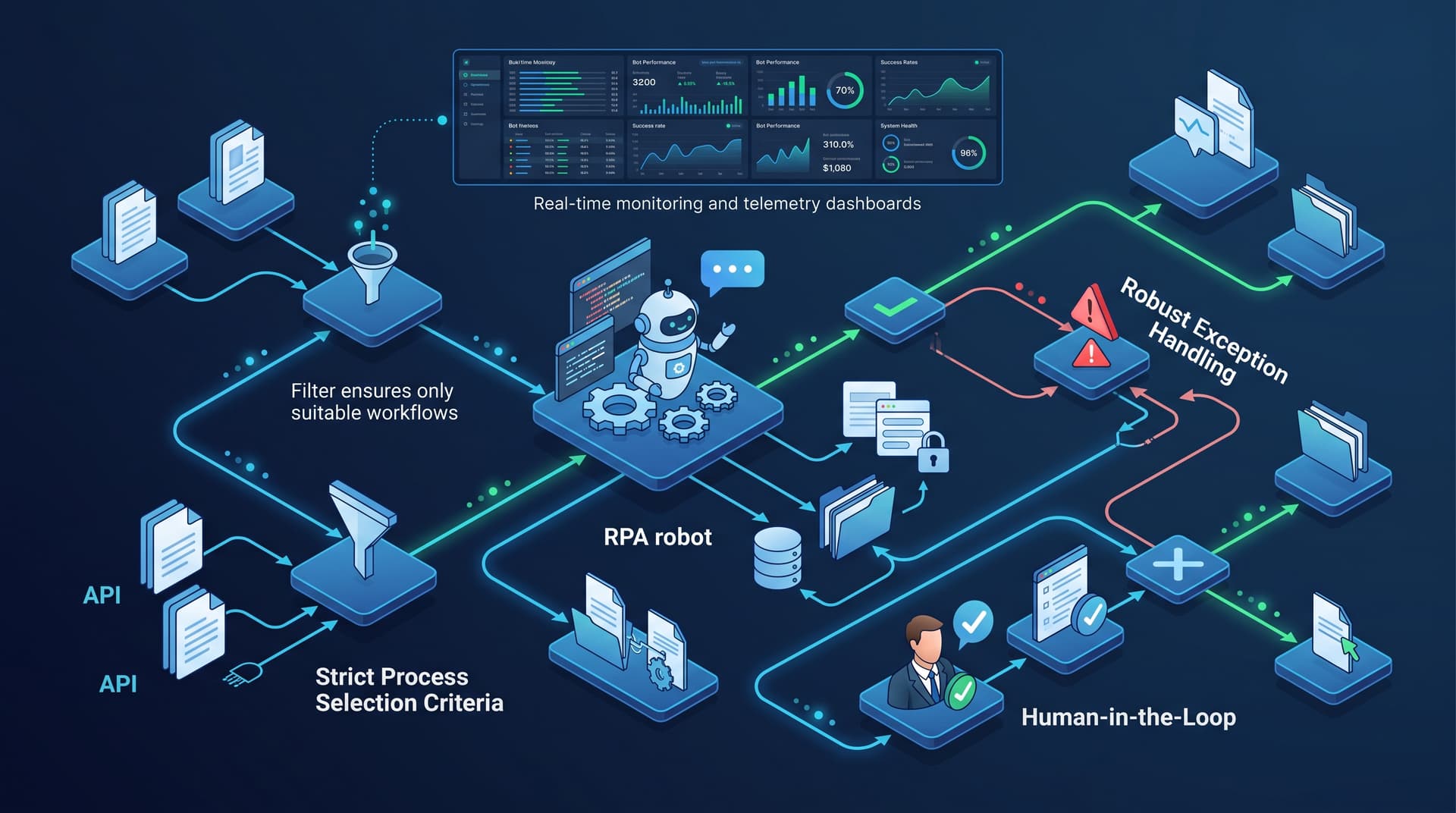
Not all repetitive tasks qualify for automation. Successful deployments target processes meeting specific stability and volume thresholds. Evaluate potential candidates against four primary criteria:
- Rule-Based Logic: The process must rely on explicit, deterministic decision trees with no requirement for subjective human judgment.
- Standardized Digital Inputs: Input data must arrive in structured, machine-readable formats (e.g., CSV, database queries, standardized web forms, or parsed digital invoices).
- High Volume and Execution Frequency: Prioritize workflows executed hundreds of times weekly where human error introduces operational risk or backlog congestion.
- System Stability: Target legacy software interfaces, internal portals, or desktop environments with low UI change frequency to minimize script maintenance overhead.
2. Practical Case: Before and After Workflow Transformation
To visualize structural impact, consider an Accounts Payable (AP) invoice reconciliation workflow in a regional logistics firm.
Before RPA (Manual Execution)
- An operator downloads vendor PDF invoices from an inbound email queue.
- The operator opens the ERP system, manually keys in line items, vendor IDs, and totals.
- The operator cross-checks line totals against internal purchase orders in a spreadsheet.
- If matching, the operator approves payment; if mismatched, the operator manually routes an inquiry email to procurement.
Result: Processing takes 8–12 minutes per invoice, with a 4% error rate during high-volume end-of-month cycles.
After RPA (Automated Bot Execution)
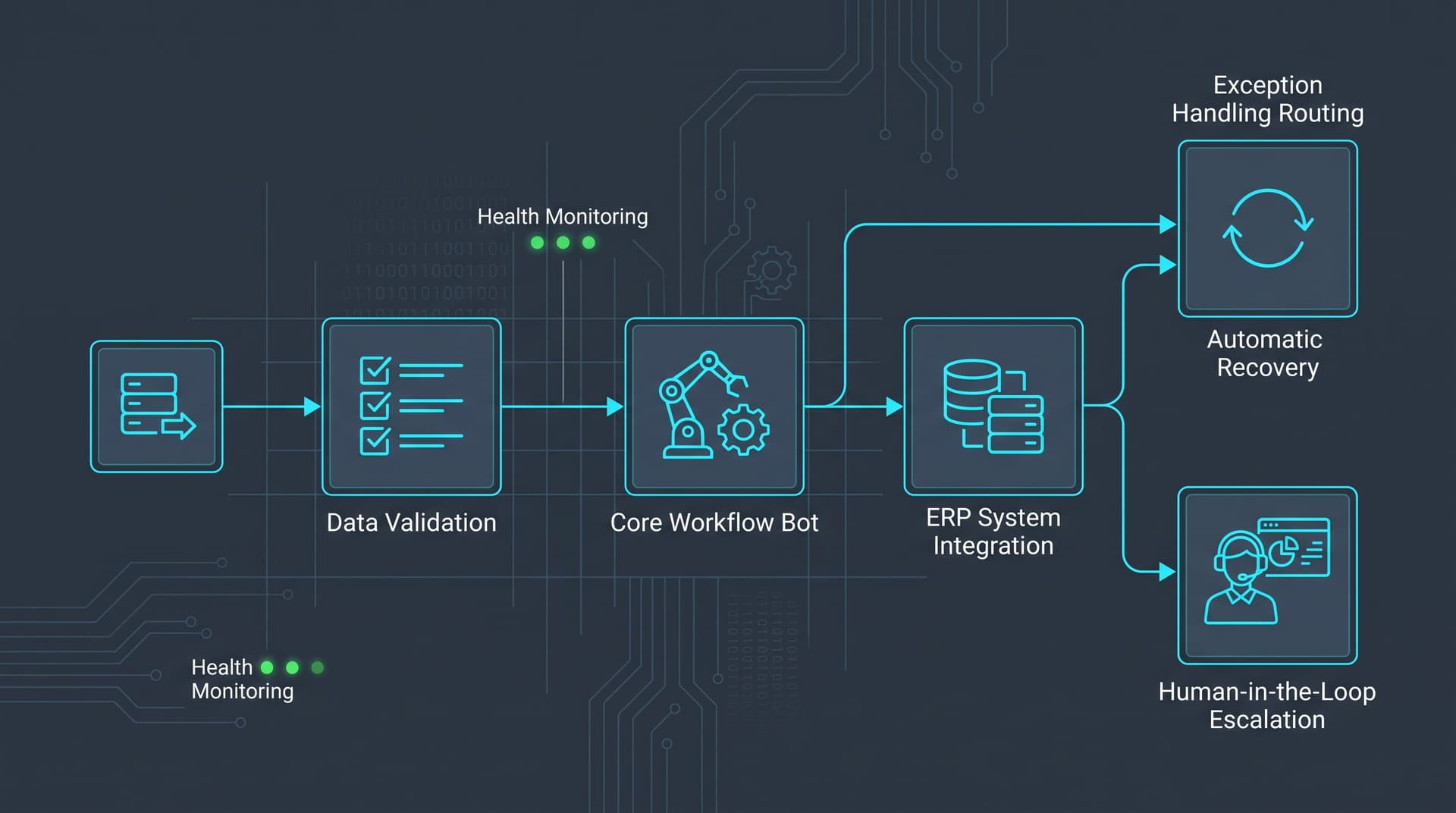
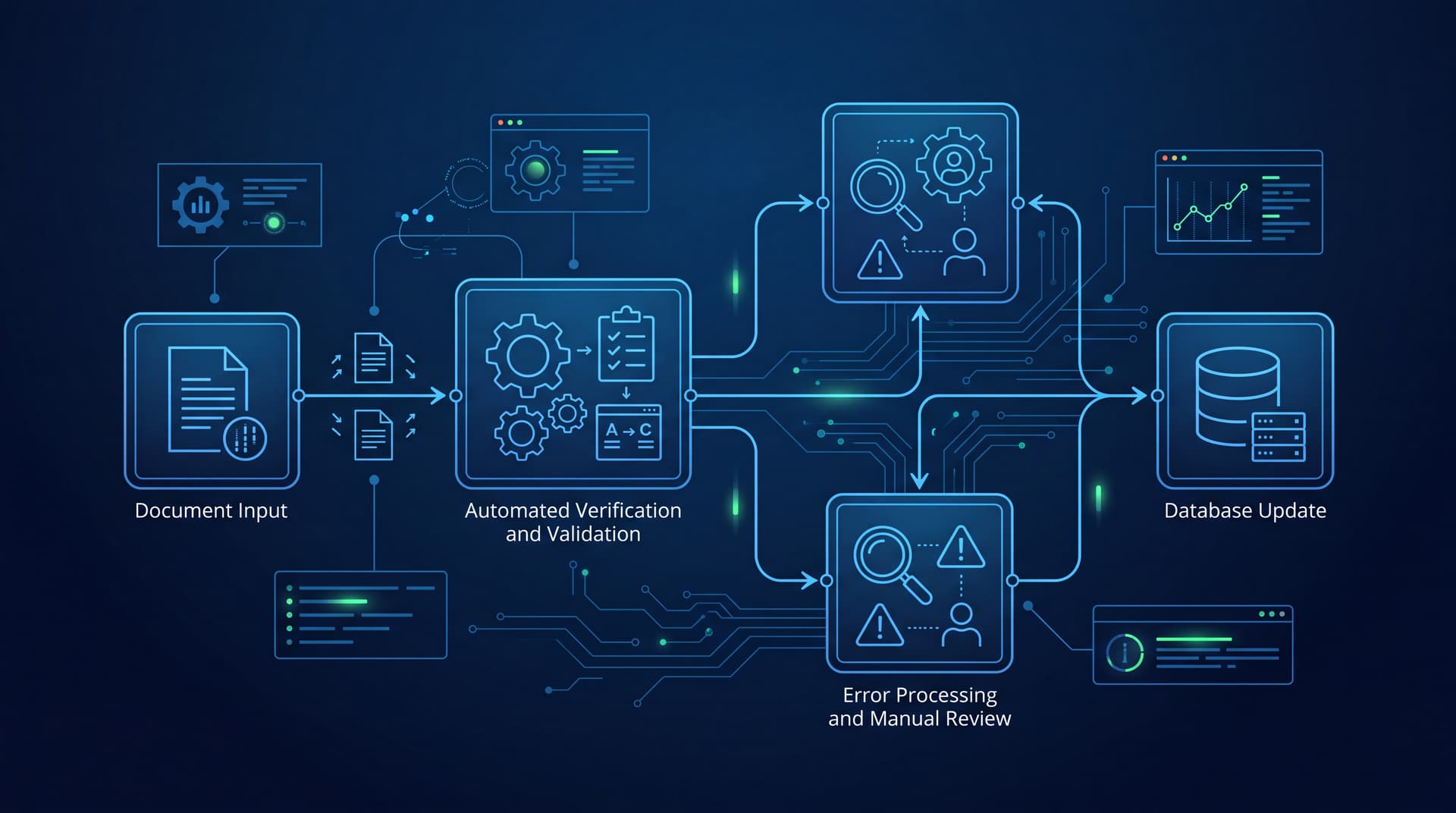
- A background bot monitors the dedicated AP inbox and extracts structured fields using optical character recognition (OCR).
- The bot queries the ERP database via database drivers or UI controls to compare invoice line items against purchase order records.
- Match Condition: The bot inputs transaction data directly into the ERP, creates the batch voucher, and flags the item as ready for disbursement.
- Mismatch Condition: The bot generates a structured ticket in the queue, attaches the extracted line-item delta, and alerts the procurement supervisor.
Result: Processing time falls to under 45 seconds per invoice, human touch points drop by 85%, and data entry errors are virtually eliminated.
3. Designing Robust Exception Handling Mechanisms
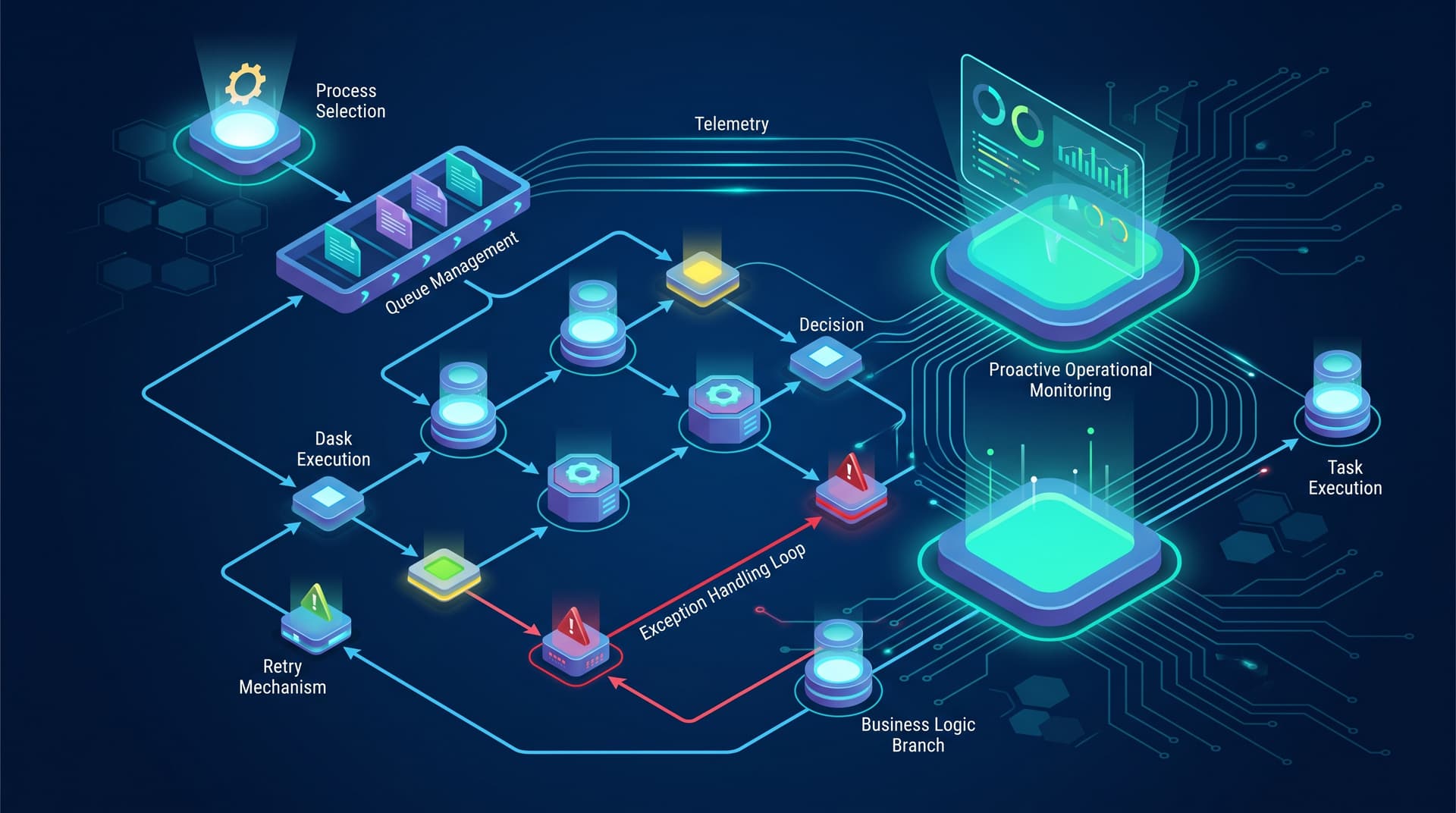
Operational failure occurs when bots encounter unexpected scenarios without pre-engineered recovery protocols. Bot architectures must distinguish between two core exception types:
System Exceptions
System exceptions stem from environmental issues—such as network timeouts, target application crashes, or slow page rendering. Enterprise bots should implement exponential backoff retry logic (e.g., three retries spaced 30 seconds apart). If the system remains unresponsive, the bot must log state memory, release lock tokens, terminate target sub-processes gracefully, and alert system administrators.
Business Exceptions
Business exceptions occur when inputs violate business logic rules—such as a non-existent vendor ID or a purchase order balance mismatch. These are not system errors and should not trigger script failure. Instead, the bot should capture snapshot state logs, flag the record with a clear diagnostic code, move the item to a manual review queue, and immediately process the next queued item.
4. Telemetry, Monitoring, and Queue Governance
Maintaining reliable bot fleets requires real-time insight into performance metrics and workload queues:
- Centralized Dashboard Logging: Record start times, execution durations, success rates, and diagnostic codes for every execution cycle.
- Queue Depth and SLA Tracking: Monitor item processing speed against business SLAs to auto-scale virtual worker instances during peak loads.
- Heartbeat and Health Checks: Implement health-check tasks that periodically verify target application accessibility and bot node responsiveness before launching scheduled execution jobs.
5. When NOT to Use RPA
RPA provides high value when integrating legacy systems lacking modern interfaces. However, applying RPA in the wrong scenarios leads to fragile architectures and high maintenance costs. Avoid RPA under the following conditions:
- Native APIs Are Available: If both source and target platforms support stable RESTful or GraphQL APIs, integration via API pipelines is faster, safer, and significantly more resilient than UI-level automation.
- Frequent UI or Schema Changes: Workflows relying on web applications subject to constant design updates will experience continuous bot breakages.
- Unstructured, Non-Standardized Inputs: Tasks requiring interpretation of handwritten notes, unformatted emails, or subjective content are better handled by dedicated document processing engines or human-in-the-loop workflows.
- Low-Volume, High-Complexity Operations: Processes executed only a few times a month with complex edge-case variations rarely justify the development and validation investment.
Engineering Your Automation Strategy
Reliable bot operations depend on rigorous process qualification, systematic exception pathways, and proactive telemetry. By selecting stable target workflows and implementing defensive handling structures, operations managers turn repetitive manual tasks into dependable background execution pipelines.
Identify your first RPA candidate process with Bitscaled.