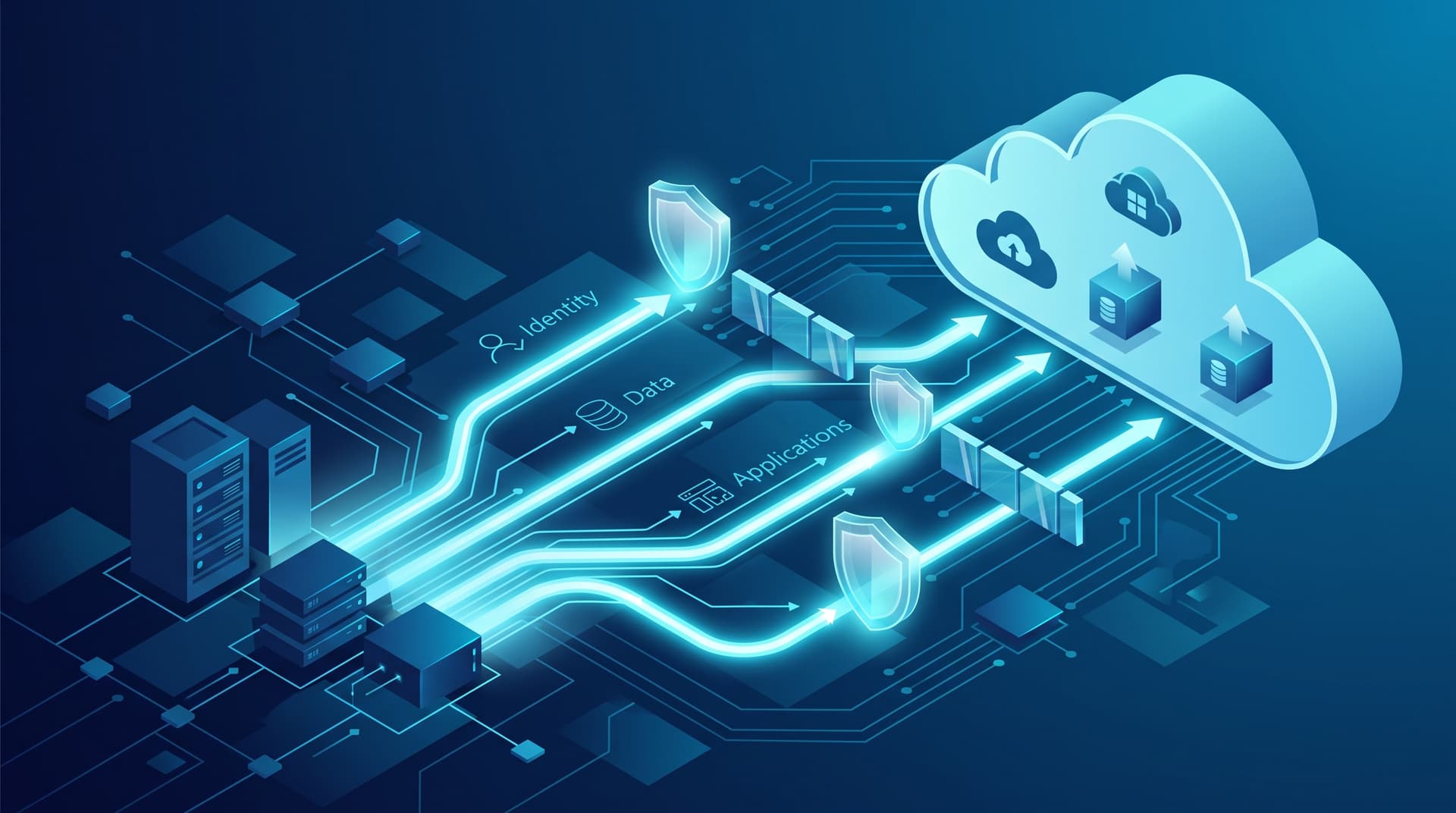
Executing a successful cloud migration for a small to mid-sized business requires technical discipline and strict operational sequencing. Moving infrastructure to cloud and hybrid environments without a structured methodology often causes extended downtime, data drift, and security vulnerabilities.
At Bitscaled Cloud Infrastructure Services, we emphasize architecture-first cutover strategies. This guide outlines the mandatory migration sequence, highlights critical hybrid pitfalls, and provides a practical roadmap table with built-in rollback controls.
The Mandatory SMB Migration Sequence
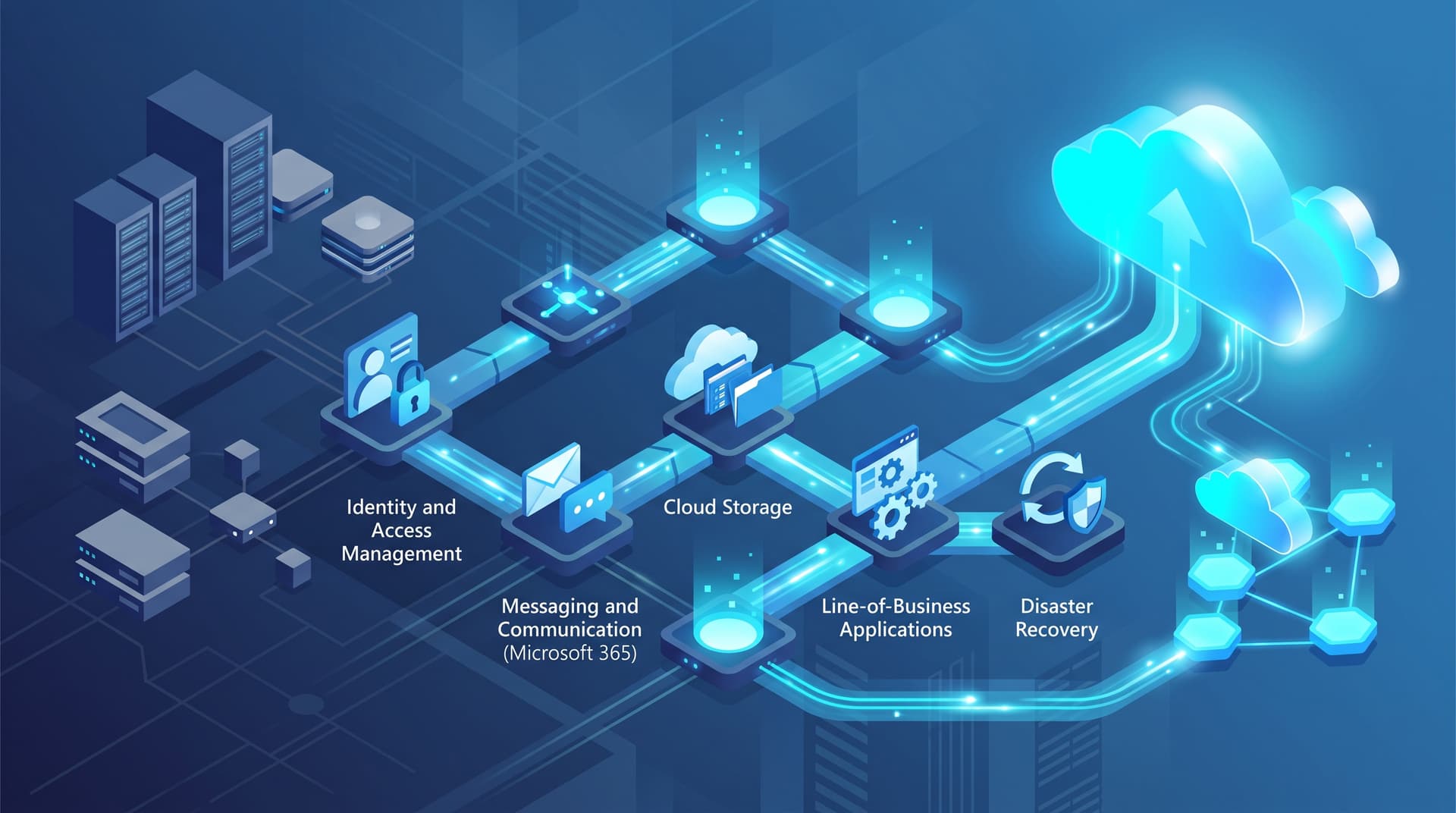
Attempting to migrate applications or file systems before solidifying core identity and security foundations is a primary cause of migration failure. To maintain integrity, SMBs must sequence migration across five logical phases:
-
Identity & Governance (Entra ID / Active Directory) Establish centralized directory integration, multi-factor authentication (MFA), and Conditional Access policies first. Cloud identity is the security perimeter for all subsequent workloads.
-
Messaging & Productivity (Email / Exchange Online) Migrate mailboxes, distribution lists, and shared calendars next. Messaging migrations establish baseline user authentication and provide immediate productivity wins with low architectural risk.
-
File Services & Unstructured Data (SharePoint / OneDrive / Azure Files) Remap legacy file servers to cloud repositories. Perform permission cleanup, remove duplicate data, and establish metadata architecture prior to data synchronization.
-
Line-of-Business Applications (Azure IaaS / PaaS) Lift-and-shift or refactor core business applications, databases, and custom web services once user identities and files are securely integrated.
-
Disaster Recovery & Continuous Operations (Azure Site Recovery) Finalize hybrid backup policies, automated failover runbooks, and cloud replication to guarantee business continuity across local and cloud assets.
Common Hybrid Operational Pitfalls
Operating in a hybrid state introduces dual-environment dependencies. IT teams frequently run into three main failure modes:
- Stale AD Synchronization: Infrequent synchronization intervals or unmonitored Entra ID Connect sync errors lead to orphaned accounts, mismatched password hashes, and access revocation delays for offboarded employees.
- Overshared M365 Permissions: Migrating legacy file shares directly to SharePoint without reviewing legacy 'Everyone' or 'Authenticated Users' access rights causes exposure of sensitive company data across guest users and external links.
- Undocumented DNS Cutovers: High Time-To-Live (TTL) values on local and external DNS records, forgotten TXT/MX validation records, and unmapped internal CNAMEs lead to extended email routing outages and application unreachable errors during cutover window.
Phased Migration Roadmap & Risk Governance
The following roadmap details the key deliverables and rollback triggers for each migration phase:
| Phase | Target Workload | Key Deliverables | Rollback Trigger & Action |
|---|---|---|---|
| 1 | Identity | Entra ID Connect setup, MFA enforcement, tenant baseline | Sync failure > 5%: Pause sync, revert directory modifications, audit object GUID mappings. |
| 2 | MX record updates, mailbox migration, autodiscover cutover | Mail flow block > 15 mins: Revert DNS MX record TTL to legacy mail relay servers. | |
| 3 | File Services | SharePoint structure, Azure Files sync, permission mapping | Data mismatch / file lock errors: Fail back file paths to read-only legacy SMB shares. |
| 4 | LOB Apps | Database replication, Azure VM hosting, network routing | Latency spikes / DB errors: Redirect internal gateway routing back to on-premise hosts. |
| 5 | Disaster Recovery | Azure Backup setup, Azure Site Recovery orchestration | Replication lag > SLA: Pause continuous replication, reset staging cache snapshots. |
Mitigating Rollback Risks
Rollback plans must be deterministic. Before executing cutover tasks, ensure that delta synchronization scripts are validated, read-only fallbacks are configured on legacy systems, and DNS TTL values are lowered to 300 seconds at least 48 hours in advance.
Establishing a pre-configured, double-committed state allows IT managers to fail back without permanent loss of newly generated data.
Ready to structure a risk-free transition to hybrid cloud operations? Schedule a cloud readiness review with Bitscaled before your next migration phase.